


A few weeks ago, I dug into Outlook reactions since it came up in an email group that I am part of:

After I posted that, my good friend, Maureen Holland, and I chatted and decided to do some further testing, but it didn’t work. She and I exchanged emails from our respective work accounts and “liked” each other's messages, but those likes never appeared in the sent message.
I made a mental note because when I tested the feature, I was working with two accounts in the same tenant. Maybe it worked differently across tenants.
Before I could set aside time for that testing, I awoke one morning to an actual email notification on my work account: someone external had “loved” the email I'd sent the day before.
Which was weird, given what I saw everywhere else.
This week, I tried to send myself an email across two tenants I have access to that are not owned by the law firm where I work, for obvious reasons, and I got a third set of results.
This time, I could see the reaction, but there was no email notification.
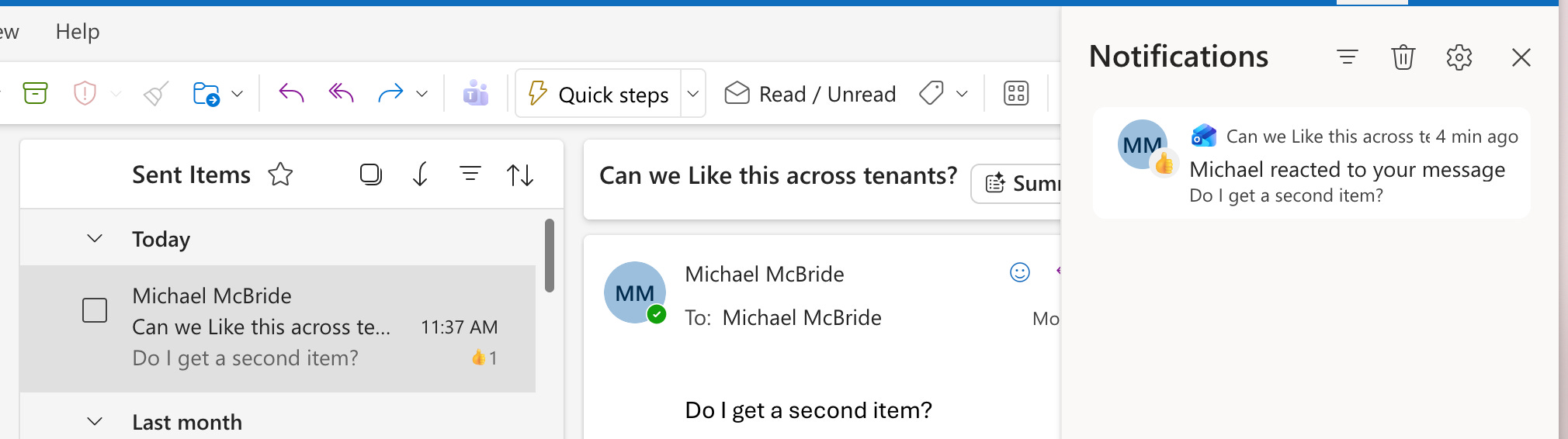
Why were things so different? I don’t know. At first, I theorized that one of the work tenants was blocking reactions from being shared across tenants, but then I got on with someone else. It’s still possible that was the case. But then we get into why, in one set of circumstances, an email notification appeared, while in the other, only a reaction notification appeared in Outlook.
Why, Microsoft, why?
What configuration option is creating this? I don’t believe I’ve changed anything that would block reactions, but then again, I don’t recall ever seeing an option like that documented. Is this a result of another option I’ve misinterpreted as something else, or is it pulling this in with that option?
I’m not sure, but it creates an interesting collection problem. I’m not sure you can count on capturing reactions as things stand. It’s too confusing.
Speaking of reactions, another thought occurred to me while I was thinking so much about reactions. For Teams, the reaction is “burned in”, for lack of a better term, when the HTML transcript is created using that option in the Review Set. What happens if you don’t choose that option?
More confusion.
