


Recently, I read an article that made me think about something I had written earlier about Copilot memory.
Microsoft Purview Retention Policies for Copilot Memory
It also reminded me that you can now set retention on Planner tasks, an announcement I saw a few months back, so I looked at what's available when creating a new retention policy. I was surprised that there were a couple of other options I don’t recall seeing any announcements for:
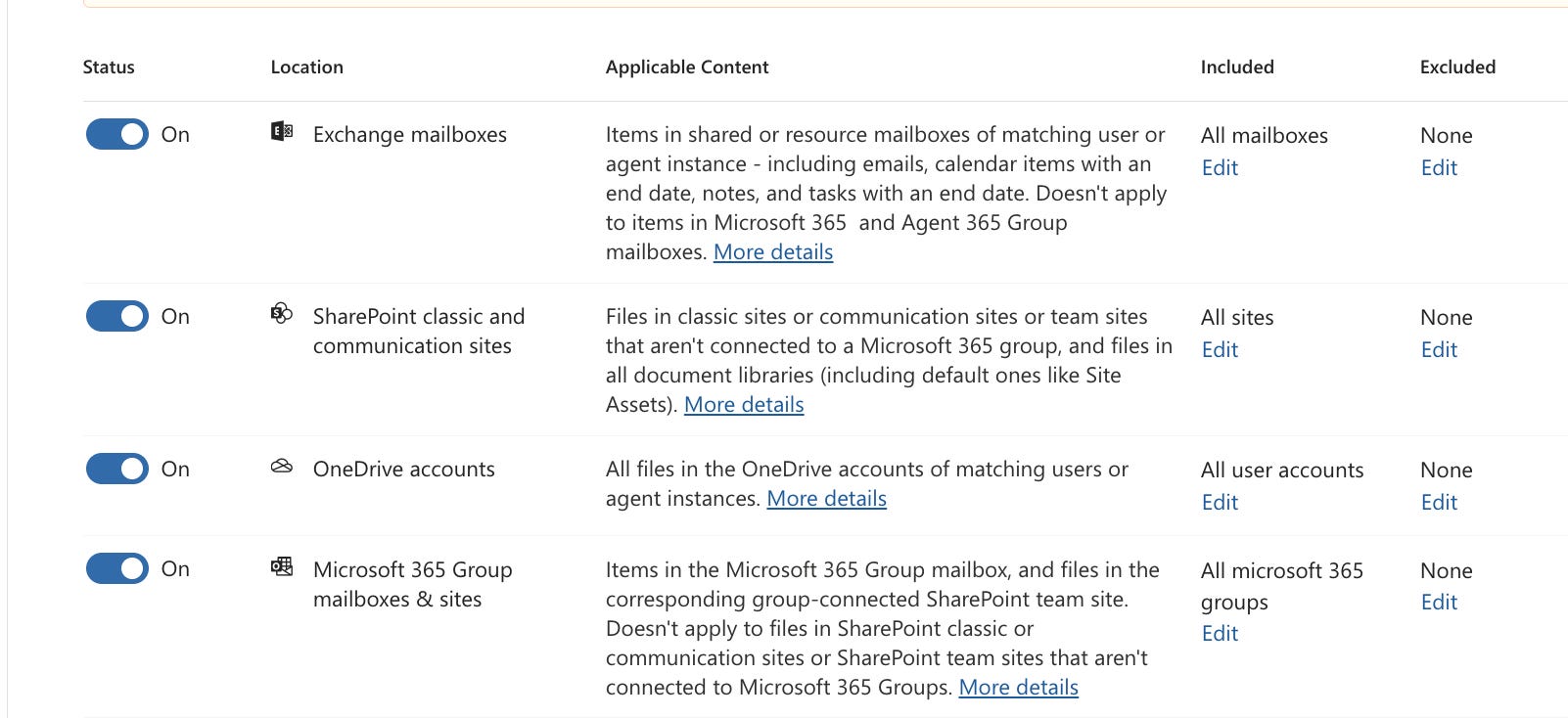
I didn’t realize we could differentiate between SharePoint sites connected to M365 groups and classic sites that aren't. (Or that the M365 groups option would apply to mailboxes and sites.)
I didn’t realize there are two options for Planner - group plans and roster plans:
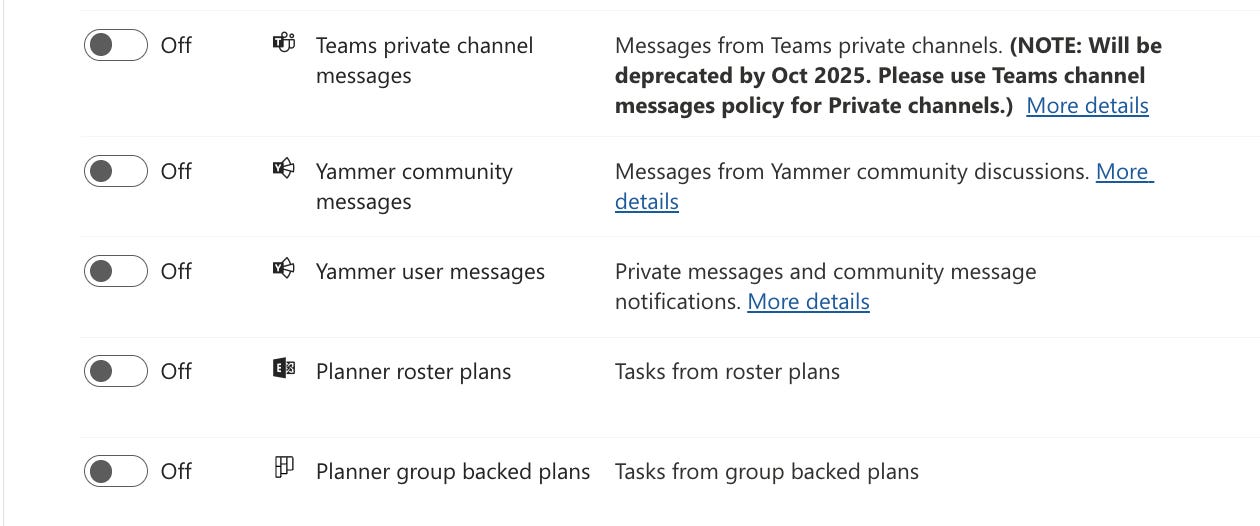
Note: the Planner options don’t appear at first; you need to click the +More Apps link at the bottom of the screen.
In addition to Copilot memories, there are also options for other GenAI apps (I don’t have PAYG billing turned on, so those aren't available to me for testing).
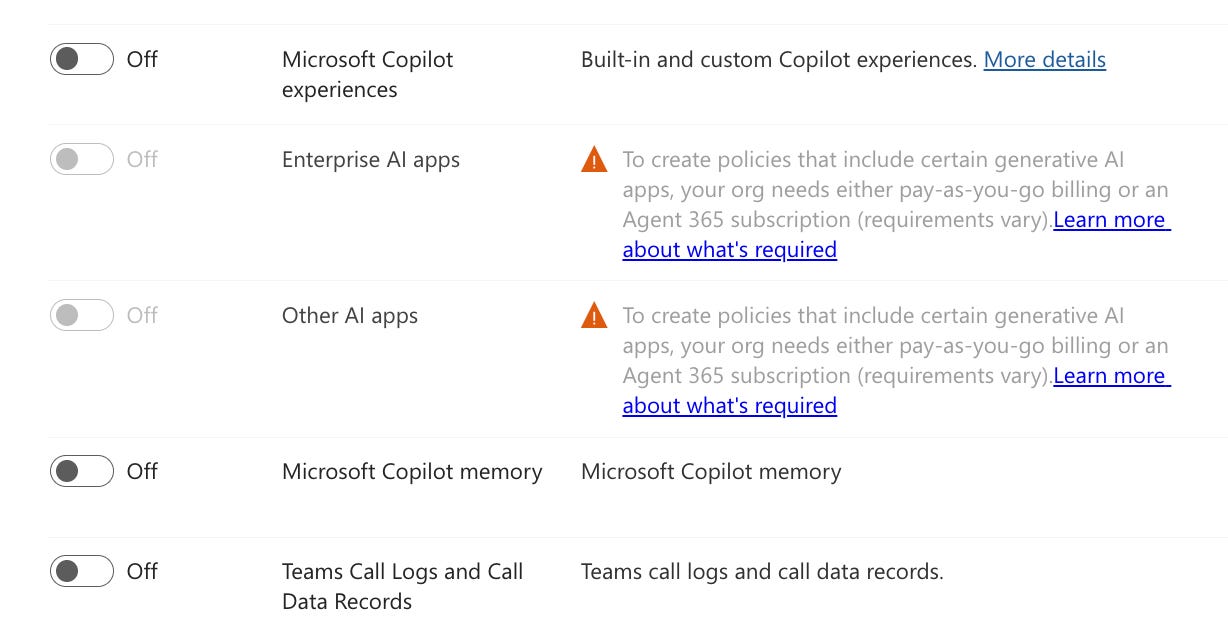
That last one is interesting, though - Teams Call Logs and Call Data Records.
I have a series of things I want to dive into more deeply. Testing retention policies is always a little time-consuming because you have to wait for items to auto-delete, then go through the recycle bin process before you can be sure how it works. In addition, some of these have some interesting impacts on the eDiscovery and investigation processes.
For example, call data records have long been a great resource for showing who was on a call or meeting and for how long, because they live in a hidden folder in each attendee's Exchange mailbox. It would be nearly impossible to make those records disappear.
Now, a retention policy could do it for the entire organization.
That’s something you should be aware of.
I’ll have more in upcoming weeks. Consider this your first heads-up to check whether these policies exist, or to start thinking about whether they should exist in your environment.
Have you implemented any of these yet?