


If you follow Microsoft news closely, you may have seen this new online feature for Word, Excel, and PowerPoint that lets you “Publish to Web.”
When I first heard about it, I assumed it was an easy button for taking a document that you were working on locally and sharing a copy, a published version, if you will, to OneDrive.
It turns out that’s not it at all.
It actually only applies to documents in SharePoint. Which seemed weird. I would have assumed to copy a document to OneDrive, but my view may be influenced by the fact that I tend not to think of SharePoint as a public space like the internet. In my world, you use SharePoint to collaborate with internal and external parties. If you want to share a document for collaboration, it’s just as easy to use OneDrive, but it’s never shared with everyone.
However, as I went through the steps to see what happened when I used the feature, a use case began to take shape.
So, what does the feature do?
To test it, I opened a document online and went to the File → Share menu, where I found the option.
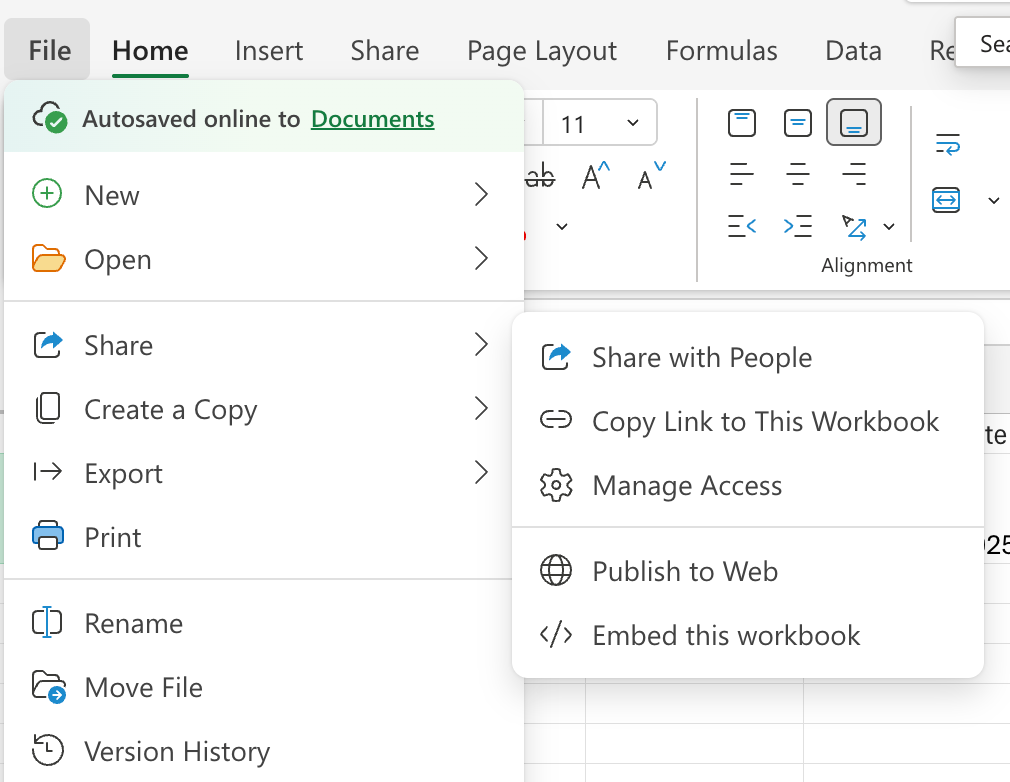
I tried this in Excel and Word, and after publishing, my immediate question was, " What did I create, and where is it?
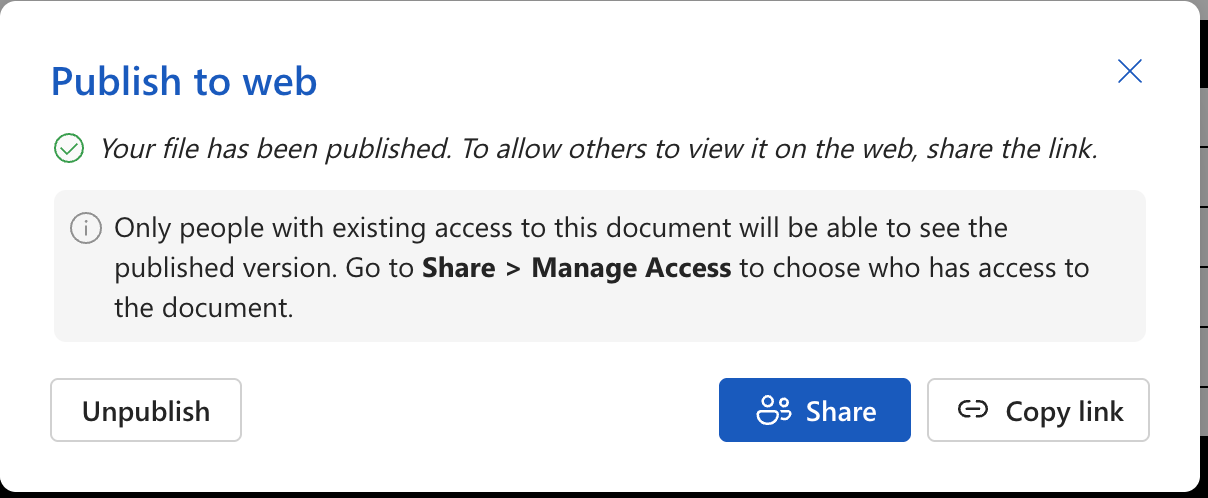
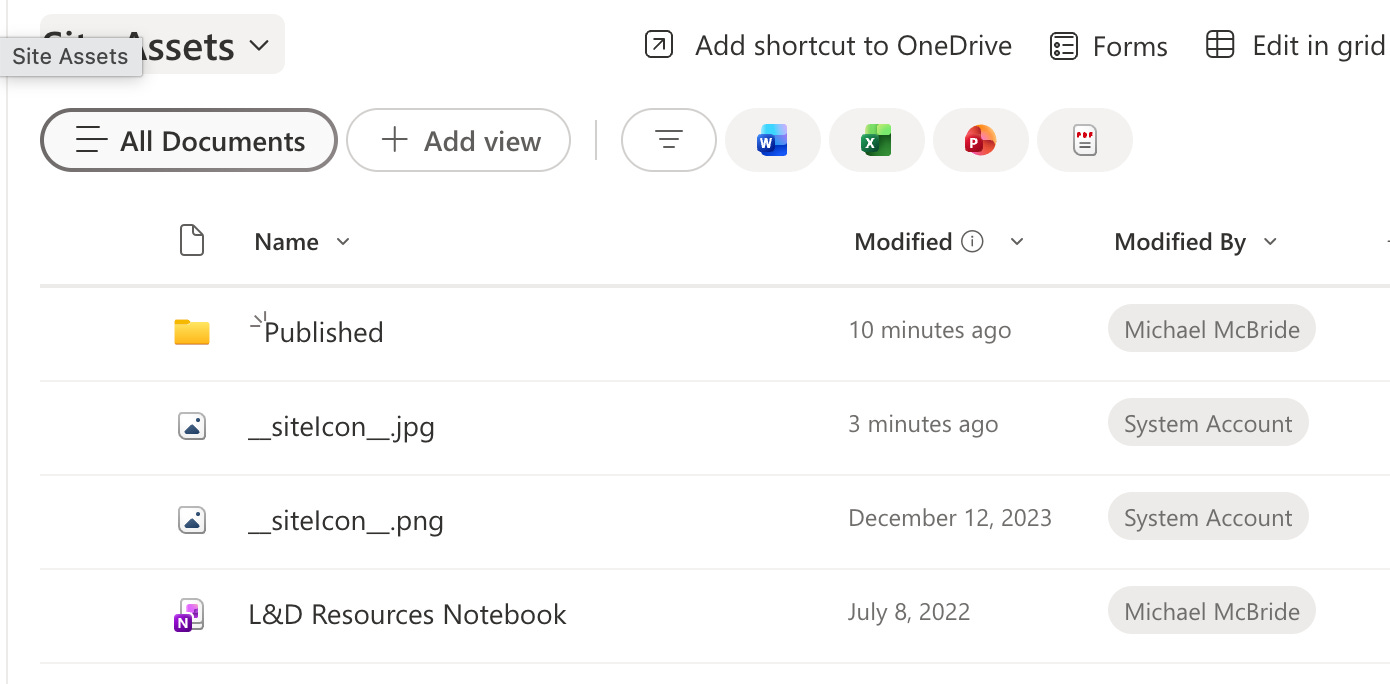
I stumbled around a bit before realizing that this process had created a PDF version of each document that I “published” to the Web.
But, the PDF didn’t exist in the same Document Library; it was saved to the SiteAssets location:
I also realized that if you went back to the original document and tried to publish to the web again, you could either unpublish or republish, but you could not publish another version, which did make my little Info Governance heart happy.

That was when the use case hit me, because it’s something I do all the time with documentation. You have a Word document or PowerPoint, but you share the PDF version to prevent anyone from making changes or using it as their own.
This is that, with one click.
As far as the eDiscovery issues, it is another copy of the same document, in another location, but as I mentioned, it’s only one copy, and this is something most of us do all the time, so I don’t see it as being any worse than emailing multiple copies and updates 15 times while working on a document.
If anything, this is a little neater. You have your working, living document and the latest published version on the same SharePoint site.
Now, could Microsoft give us something similar for OneDrive or to use across SharePoint sites? That would be something.
Have you looked at using this? Does it seem useful in your workflow, or would making it more widely available make it even better for you?