


An email hit my inbox a couple of weeks ago from a mailing list dedicated to Information Governance about Outlook reactions, questioning what kind of “record” they might be considered.
I had previously tested reactions in Teams but hadn’t given much thought to what the eDiscovery tools would do when someone clicked “like” on an email in Outlook. So, I sent my demo user an email and used that account to click “like".
Then I collected the email and looked for any indication that someone had liked it.
It was obvious, looking at the Source document in the review set, that the like was noted in the ReactionsSummary section of the email header:
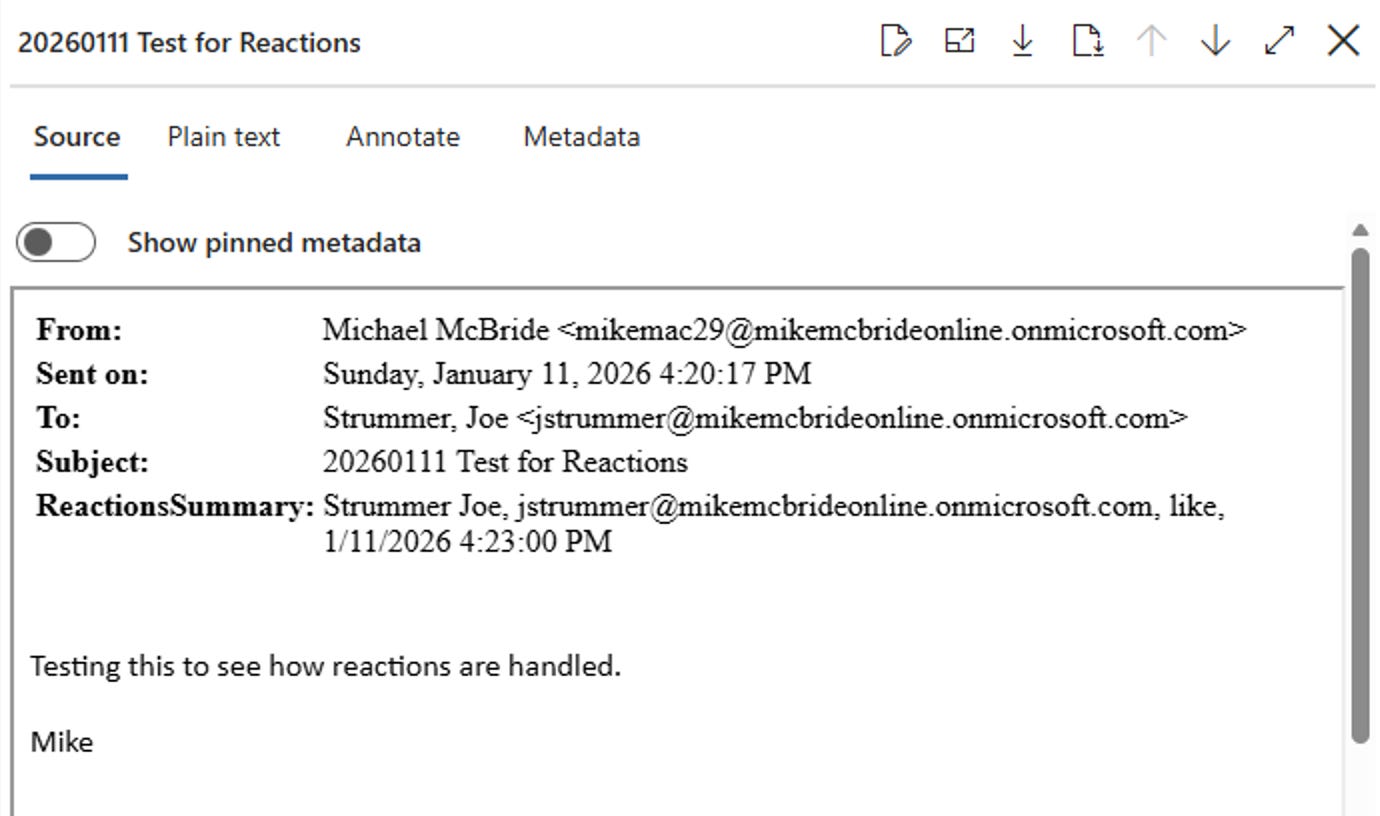
What was a little more complicated was the metadata, because there was no indication that any reactions existed in the metadata visible in the review set.
There was no metadata item for ReactionsSummary in the review set or in the export item list.
That was only the first complication. The second came from exports. I exported the message as a .msg file and then opened it in Outlook. The like appeared in the message; however, there was a catch.
My Outlook was connected to the M365 tenant when I opened the exported MSG file. When I moved over to a different machine where Outlook did not have my tenant account set up and opened the email, the reaction was not visible.
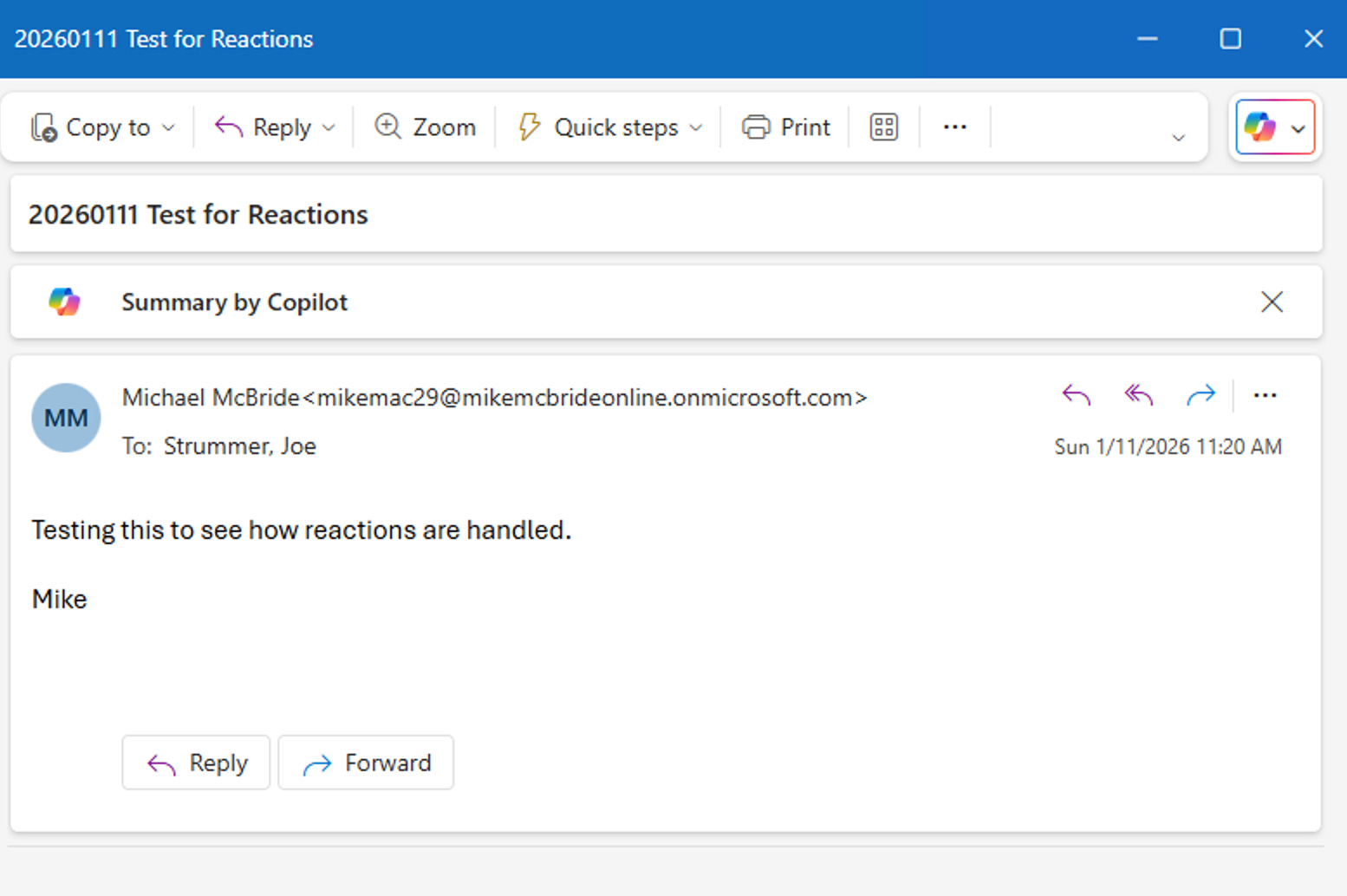
I assume it needs a connection to the Graph API to read and display reactions; once the message is removed from that connection, they are no longer available.
I imagine this would mean the data is lost when exported from M365 to a PST and then ingested into a review platform, but without a review platform available, I can’t confirm that.
Does anyone else want to do that test and let us know? I would imagine it is possible that a different eDiscovery processing tool may extract the metadata that Microsoft does not. I’ve seen that before, when Teams first introduced reactions. There was a long JSON metadata field in the Exchange item that showed the reactions, but that field wasn’t available in the M365 exports; you needed access to the original PST export from Exchange and some sophisticated processing tools. (In our case, Nuix.)
My assumption is also based on what happens when we export Teams messages where the reactions are added to the HTML file:
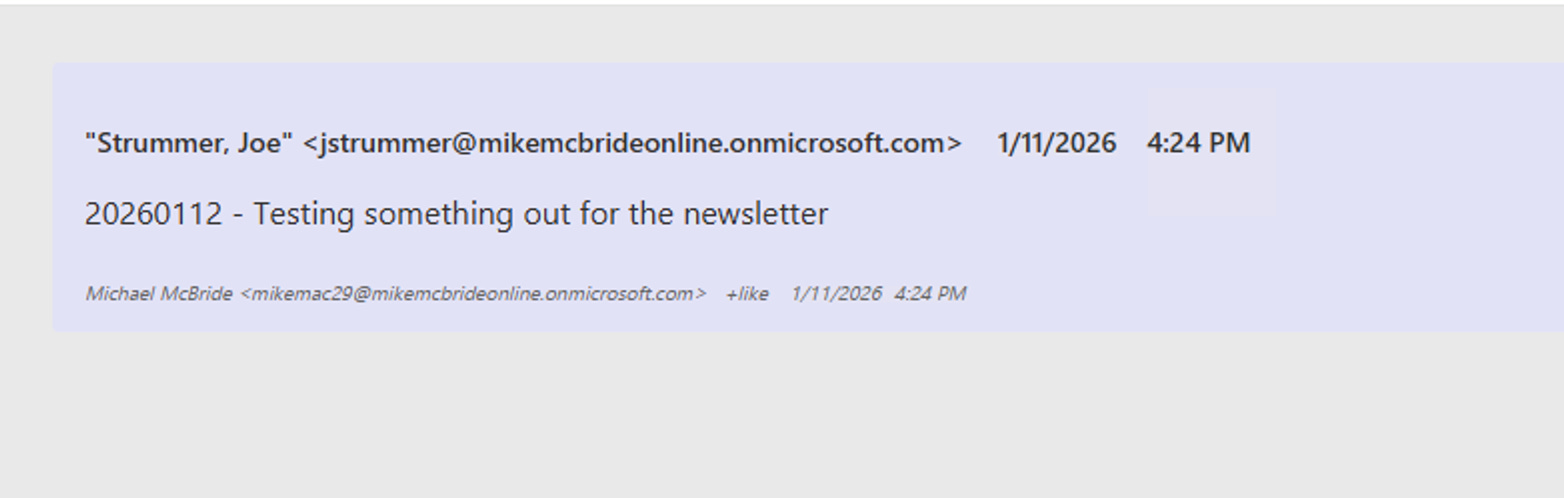
This doesn’t appear to happen with the email reactions, though, while reviewing it in the M365 environment, they are displayed.
The only workaround would be to download a PDF version of each relevant reaction whenever a reaction is relevant to the case. That won’t scale well, and it will create an issue tying the PDF back to the correct message metadata. Yuck.
Latest posts on the Blog: