


A couple of weeks ago, while writing about AI archives for Teams meetings, I quoted this text from the Microsoft documentation without pointing out the part that made me go, “Wait!”
Admins can perform eDiscovery searches on all SharePoint Embedded content using the All SharePoint Sites workload. Admins can also specify specific AI archive containers using AI Archive Container URLs. eDiscovery admins can perform eDiscovery Hold and Export on archive file content
That hadn't been true before. You could not set a SharePoint embedded URL as a source when running a search in Purview eDiscovery. Did this change?
It turns out that it did, but it’s a little tricky.
When viewing an embedded container, a Container redirect URL pointed to Loop and wasn't useful in the eDiscovery tools. You could copy and paste that URL into a browser window to review the content, but you couldn’t use it as a data source location.
What I didn’t realize had changed was that there was a second URL now:
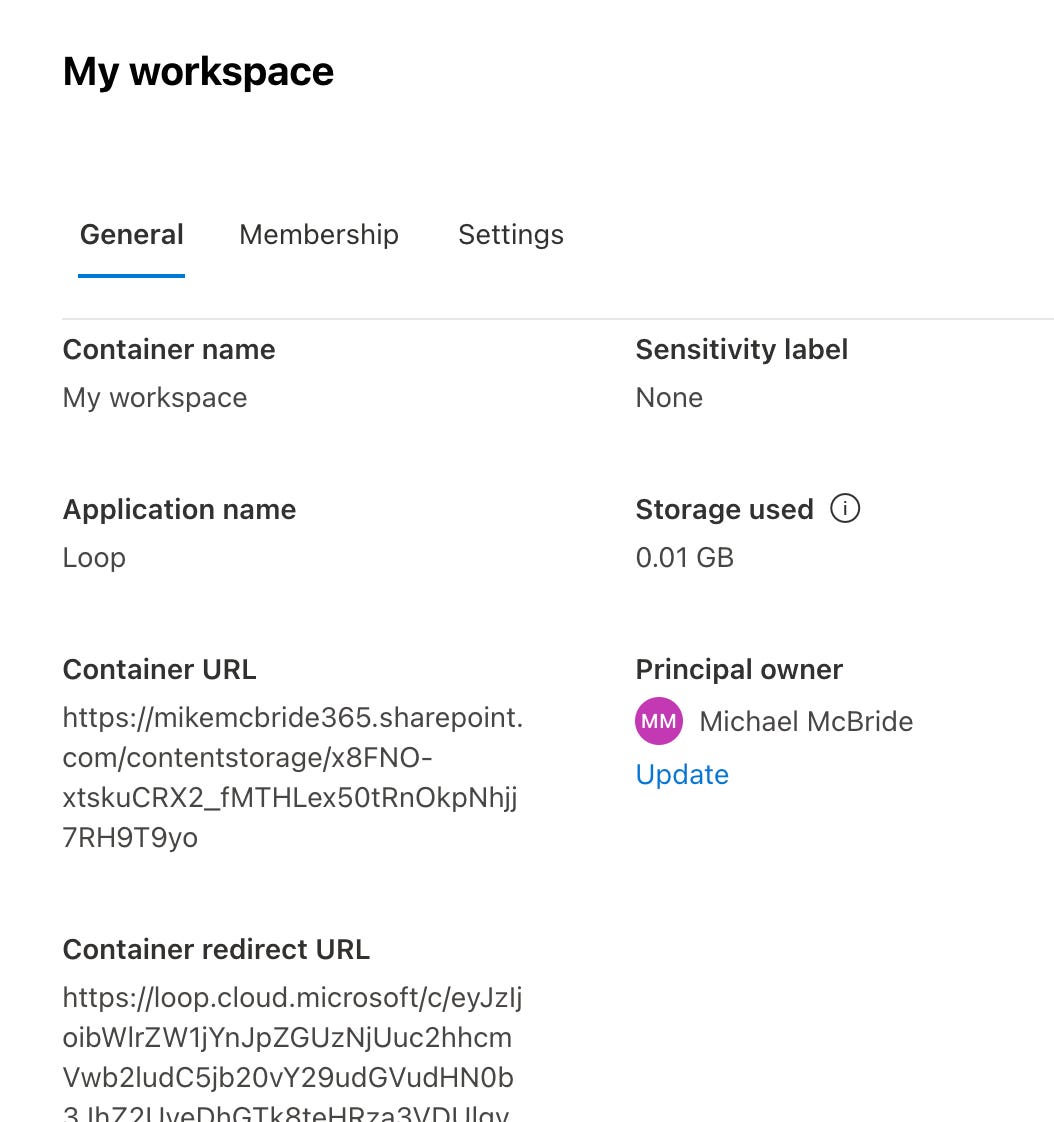
The container URL is pointed to SharePoint, and it does work as a SharePoint location:
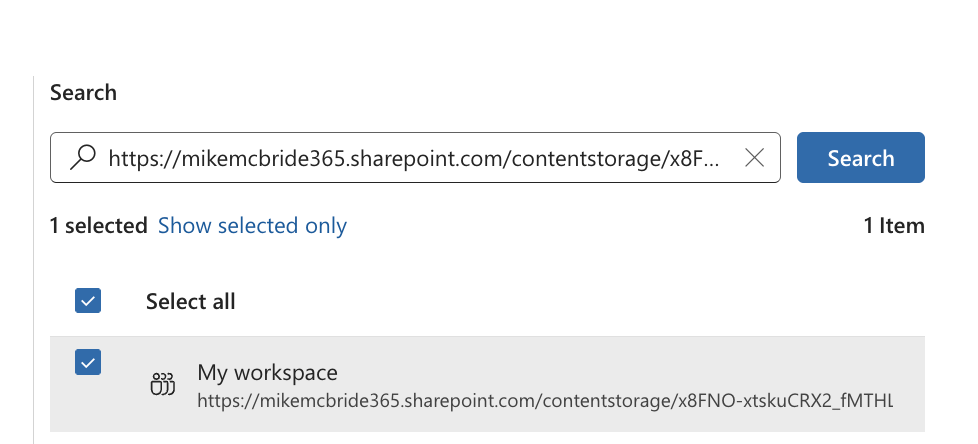
This is a pretty big deal for targeting the collection on embedded containers. However, the move away from saving Copilot pages into them has already started to mitigate some of the need. Still, with agents, Notebooks, and meeting archives still living there, this is a big win for eDiscovery practitioners.
One side note: you cannot use the container URL to view the contents; copying it into a browser results in a 404 error. So both URLs above are important.
One question remains, though: do my eDiscovery professionals also need to be SharePoint admins to find the right URL?
Yes, sometimes.
