


If you haven’t opened a review set in Purview eDiscovery lately, it might be a good time to take a look. I noticed a couple of new (Preview) tabs a few weeks back and made a note to go take a deeper look at them later.
The Advanced Review Set Explorer caught my eye first.
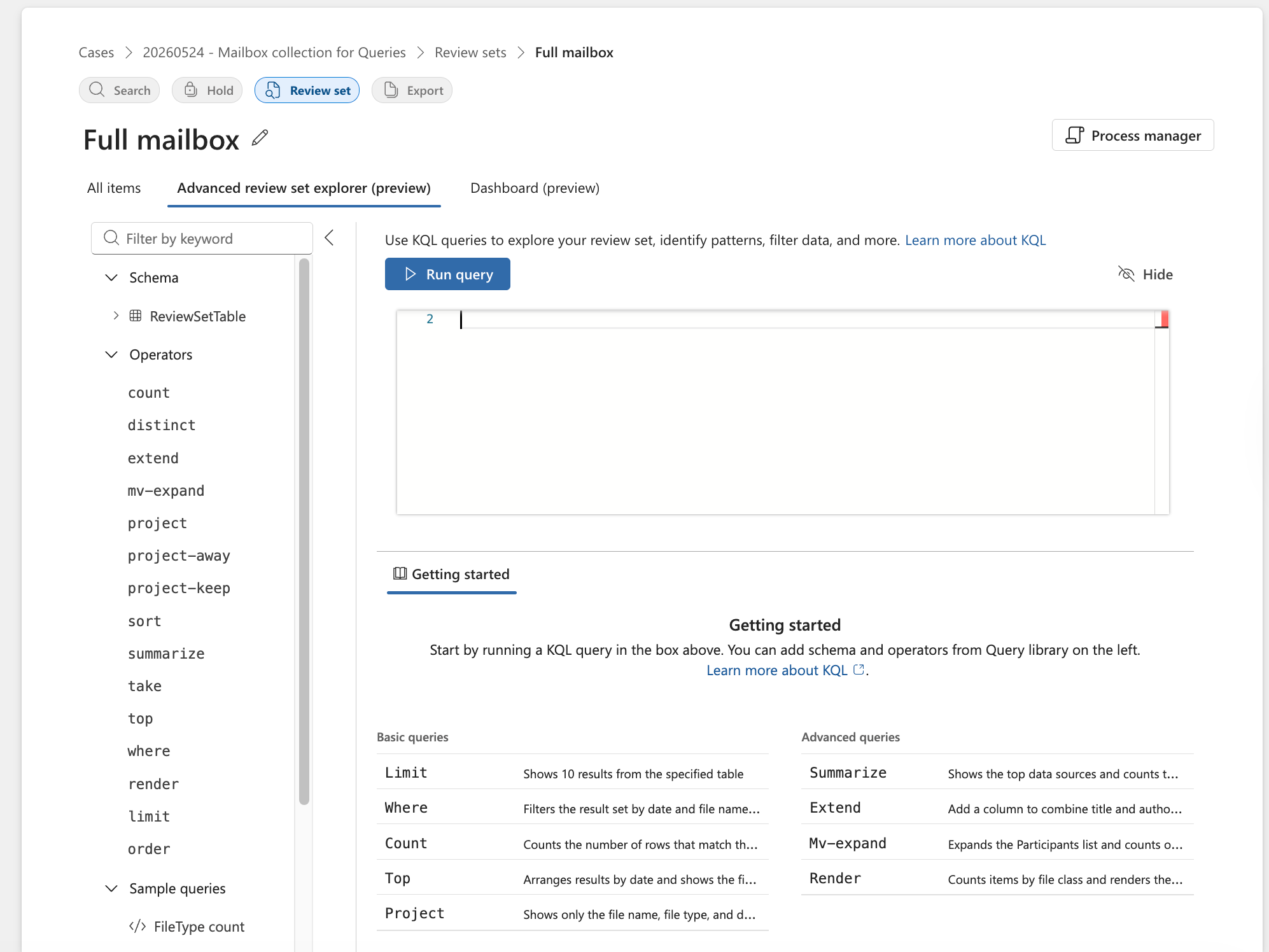
First, let me state the obvious. I was dumbfounded by the interface. Perhaps because I’m not a huge KQL expert, I didn’t really know what I was looking at.
It’s a little overwhelming.
But the link to learn more about KQL started to help me understand where this could be very powerful in the right hands:
Specifically, it got me thinking of this not as an advanced query builder but as an advanced report writer.
The Advanced review set explorer (preview) in Microsoft Purview eDiscovery lets reviewers run real-time big data analytics on review set content by using a defined subset of Kusto Query Language (KQL). With the Advanced review set explorer (preview), you can query, filter, and visualize review set data directly in the Microsoft Purview portal without modifying the underlying content. Queries run against the full set of indexed items and return either tabular results or chart visualizations.
I was struggling to consider how much more advanced I would want to get when querying a review set, but when I consider the one thing I hear complaints about the most in Purview eDiscovery - the lack of reporting - I realized that this may be Microsoft’s answer to that common complaint.
It’s only a partial answer though.
Let’s take a pretty simple example from the documentation. This query:
ReviewSetTable
| where SubjectTitle has “Day”
| mv-expand Participants
| summarize count() by tostring(Participants)
This runs a query for the word “Day” in the title of the items. In my test I collected a mailbox so it’s most emails. Then, it reports on the count of participants among those query results. This would be a nice little reporting tool to analyze search results.
Or, at least it would be a nice little report if you could export the list that appears in the interface in response to the query:
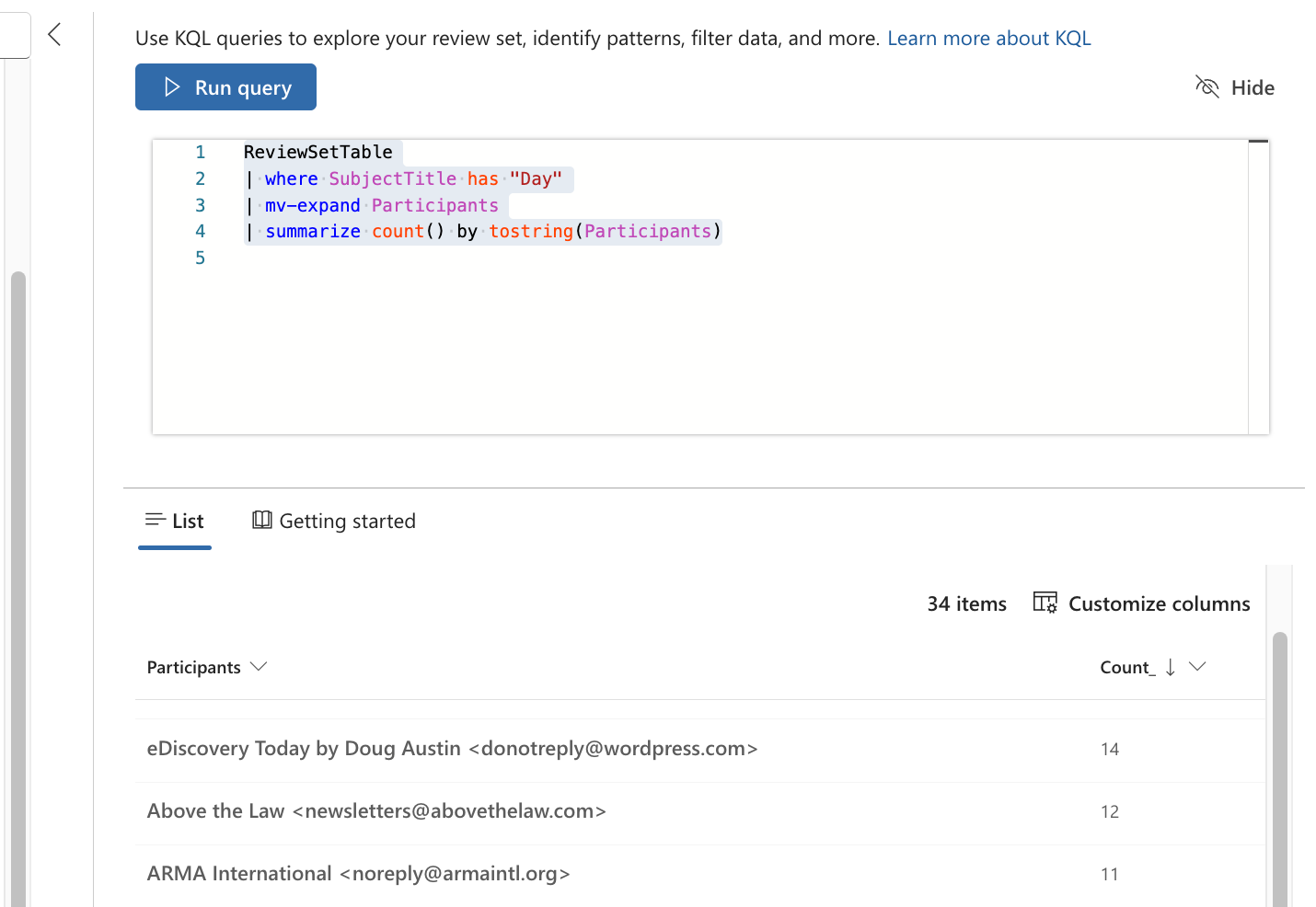
As it stands, you can see the count of each participant, but sharing it with any one outside of this interface seems to be impossible.
There are commands to render it as a barchart or piechart but those also render in the same interface with no apparent export option.
Maybe once this comes out of preview, this will be an actual reporting tool with the option to export these reports?
Has anyone heard any information on whether that is in the plan?
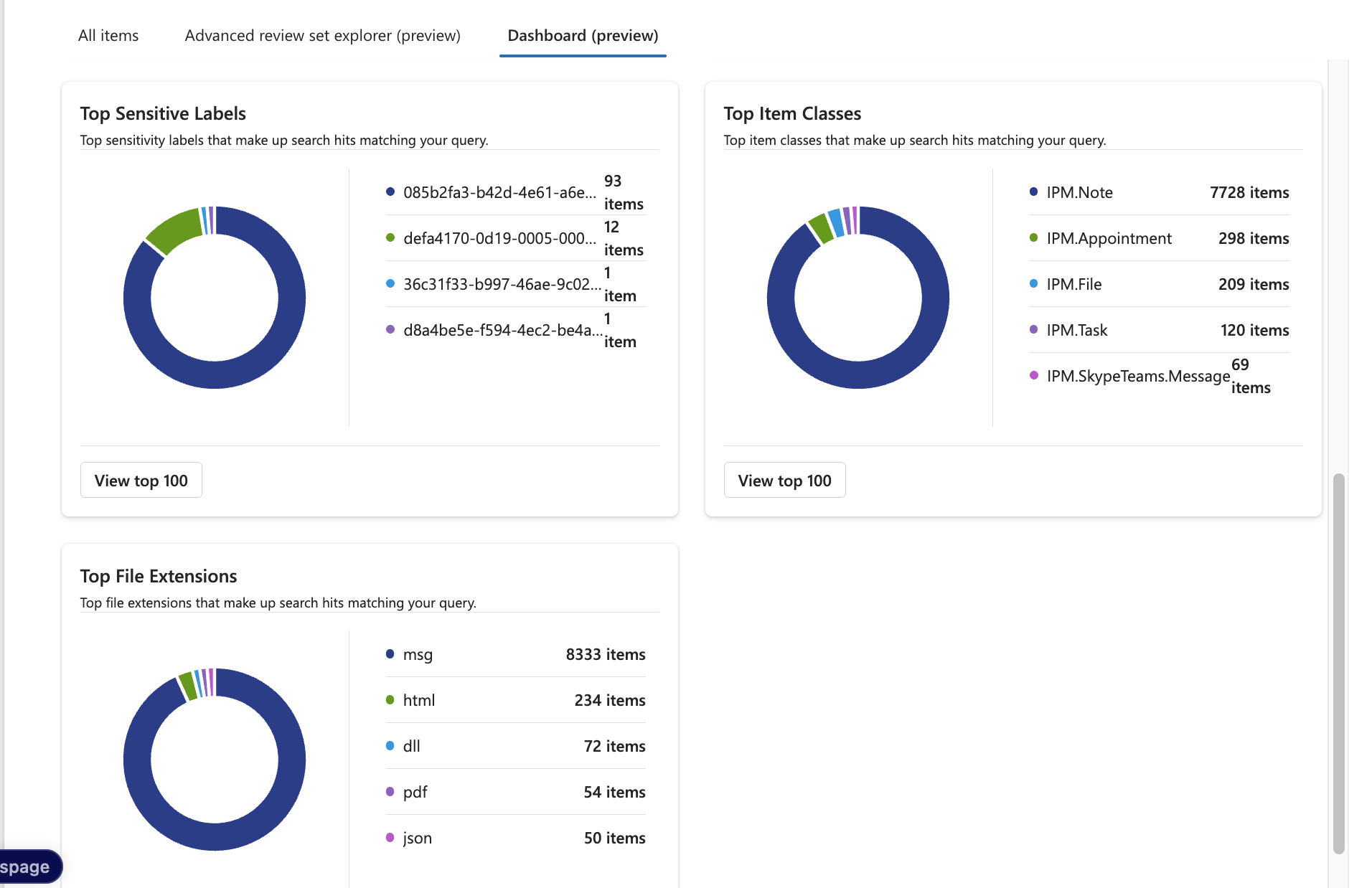
The other tab, the Dashboard preview, seems to be a better interface for simple reporting and charts than the current one that displays under the Analytics menu.
This one is easier to read and has more information, but still suffers from the same limitation - it only exists in the eDiscovery interface.
In short, kudos to Microsoft for trying to provide more insight into the data collected in a review set, but don’t rest on your laurels yet, most lawyers aren’t getting in here to look at this analytics, we need a way to get them out!